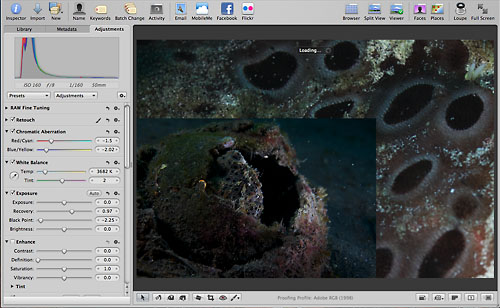
Using Aperture 3: Part 2

Note: Please read this in conjunction with Using Aperture 3: Part 1, in which I set out the things I really like about Aperture 3 and Using Aperture 3: Part 3, which sets out some considerations for creating a multimedia slideshow.

OK. This is where I get to gripe a bit about some of the issues I encountered while using Aperture 3 for the first time. I’ll be as constructive as possible, and offer workarounds where I’ve been able to figure one out, and link to other resources that might help you if you encounter similar issues.

General Issues
I’ll start with general issues first, and then later, discuss more specific ones related to producing a multimedia slideshow with Aperture 3. Again, not in any particular order:

1. Upgrading from Aperture 2
The first potential problem you may encounter if you’re already an Aperture user but haven’t upgraded to version 3 is upgrading your existing Library, which you have to do in order to access your data with Aperture 3.

There are some people who have had no problem with this. But there are also many who’ve experienced significant difficulties. I don’t know what the cause or proper way to refer to the issue or issues concerned is, but I call it the “Hang and Chew” problem.

Basically, it seems that when some users try to upgrade their existing Aperture Library to be compatible with Aperture 3, the software ties up excessive RAM and ends up going around and around in endless loops unable to execute the upgrade. Your computer “hangs” and Aperture “chews” through your RAM.

Before you attempt to upgrade, I’d suggest you start by reading this thread on the Apple support forum (there are other similar threads in the support forum) and also do a Google search for something like “Aperture 3 library upgrade” to see what other people have to say.

I was fortunate. I upgraded a relatively small Library that comprised only data from my Dominica trip as a test. It took a long time, during which process my new laptop was basically brain dead, and I watched significant spikes in my machine’s RAM allocation to Aperture (To monitor for yourself, use the Activity Monitor program, which you can find in the Utilities folder, which in turn should be in your Applications folder).

So, I ditched any notion of trying to convert a bigger Library with 65,000+ images and instead, I decided to Export some of my latest Projects from recent trips and Import each of them individually into a new, clean, individual Aperture 3 Library dedicated to each separate trip.

This is consistent with my “one trip, one Library” philosophy now, and it saved me the hassle of dealing with the Hang and Chew problem. It still took some time, but I didn’t experience the long hangs and failure described by other users.

The downside is that I don’t have the time or patience to do this for all my past trips, so the bulk of my images still resides in one big Aperture 2 Library. I’ve kept version 2 of Aperture on my machine so I can open/ view that Library with Aperture 2 if I need. And if I ever need a specific image or more data from that Library, I’ll Export and Import, and then work with it.

This is obviously a sub-optimal workaround for what should have been a straightforward, non-problematic process.

2. Getting Stuck
Whenever you Import images into an Aperture Library, the software generates Thumbnail images, which are the little images you use to navigate around and recognise which image is which.

[Side note: To draw a distinction, you can also, as a separate option, set Aperture to create Preview images in the Preference, Previews menu, which gives you access to jpg image previews even when your actual data is offline (i.e., when you use Referenced files). Doing this has its advantages (namely, always having handy jpgs), but I don't use Preview images at all. It takes time to generate them, and they require extra disk space (how much exactly depends on the settings you choose in the Preferences menu).]

During my Lembeh trip, Aperture 3 repeatedly got stuck generating Thumbnails. There was no apparent rhyme or reason for when this happened. In such instances, Aperture’s Activity monitor (Window, Show Activity) would show something like the screenshot below, with no apparent progress in ever generating the Thumbnails in question:
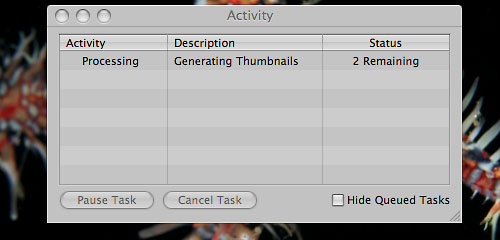
Aperture 3 stuck generating thumbnails

A similar, perhaps related phenomenon was the “Processing Something Forever” situation, when I would find Aperture “processing” an indeterminate item or items (sometimes in a grammatically incorrect manner, as in the screenshot below).
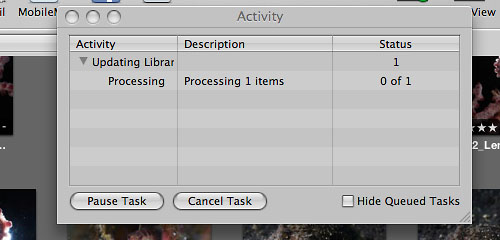
Aperture 3 stuck processing

In both of these situations, which happened often enough to be considered a regular occurrence, I waited, and waited, and waited, and…until the only practical thing I could do was force the program to shut down (Option-Command-Escape).

This is a screenshot I took of another instance while waiting for “processing” to finish…in other words, I had plenty of time to (a) think “hey, maybe I should take a screenshot”, (b) call up my screenshot program, (c) take and save a screenshot, and (d) still have time left over to go for a dive or two. Bear in mind that I’m not the quickest person on a computer, so we’re talking about a decent chunk of time here.
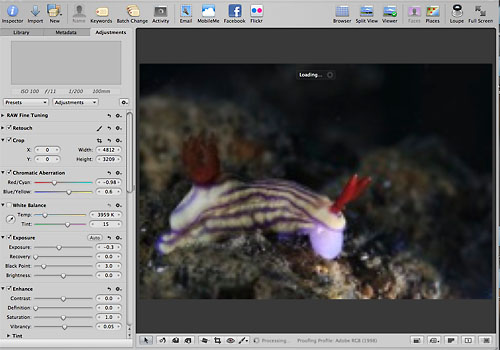
Aperture 3 stuck processing

To address these situations, I tried repairing the Library (hold down Option-Command while restarting Aperture) several times to no avail.

I then resorted to over-riding Aperture’s Thumbnail generation (hold down Shift while restarting Aperture). After I did this several times, the frequency with which I encountered these problems decreased.

However…I had to then live with blurry Thumbnails, which I could only view clearly if I selected the image, hit P to get out of Quick Preview mode, and then waited for Aperture to do whatever it has to do to create a viewable image…making it difficult to do quick searches to find something I wanted. Here’s an example of how blurry the images looked:
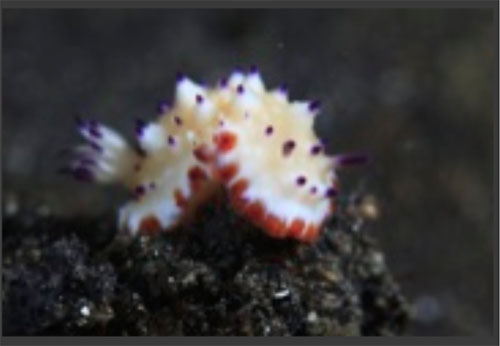
blurry image in Aperture 3

Patching with the 3.0.1 and 3.0.2 updates has not eliminated this issue. I just tested.

3. Stuck Screen
This may just be a variation of the problem discussed above, but on a few occasions, Aperture got stuck between two views when I pressed Z to get a zoomed-in perspective.

So when I wanted to see something like this:
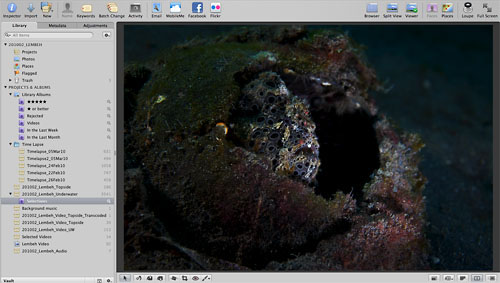
Aperture 3

I got this:

Aperture 3 stuck

And again, the only way out was to force Aperture to quit, then re-open the program.
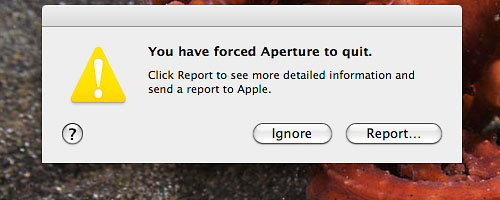
force quit Aperture 3

Apple received more than a handful of reports from me.

4. Seemingly Random Thumbnail Rebuild
At one point, I opened up Aperture and found that all my Thumbnails were gone. Yup, just gone. You can probably imagine how happy I was about that.

This happened when I had about 7,000 files (combined photo, video, audio) in the Library.

To get the Thumbnails back, I had to manually scroll through all the files (yes, every last one) to kickstart the Thumbnail generation process, and then wait for all the Thumbnails to re-appear.

As if that weren’t painful enough, all the Thumbnails were still blurry, which meant if I wanted to see any specific image clearly, I had to click on each one, hit P and wait.

Fortunately, this only happened once. I have no idea what the trigger could have been for this.
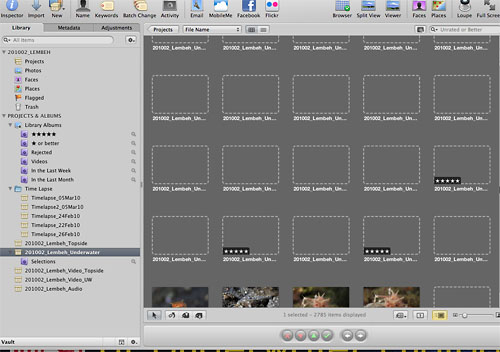
Aperture 3 thumbnail rebuild

5. Speed (or Lack Thereof) and Crashing
Even on a brand new MacBook Pro (2.8GHz Intel Core Duo, 8GB RAM) with newly installed software, Aperture 3 can sometimes be irritatingly slow.

In Part 1, I mentioned that I really like Aperture’s substantially upgraded photo editing capabilities. I do. The drawback, however, is that sometimes, when you try to execute an edit, it takes a loooooooong time for Aperture to do it.

This occurred most frequently with the Retouch tools, which is why I alluded to the notion that you should, at least for the time being, do minor editing in Aperture and major edits in Photoshop.

For underwater photographers, the practical implication is that you should undertake substantial backscatter removal in Photoshop rather than Aperture, which is somewhat of a shame, as this negates one of the primary benefits of using an all-in-one photo management tool with non-destructive editing functionality.

The “take forever” syndrome also happened from time-to-time when trying to Export image versions.

Another irritant was the frequency with which I didn’t have to force Aperture to quit. The program did it all by itself.
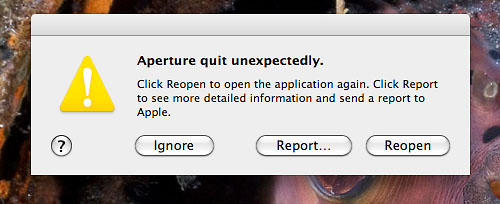
Aperture 3 crash

I believe it wouldn’t be inaccurate to say that this happened at least once a day during the trip, sometimes more, always for no apparent reason.

6. Repetitive Import
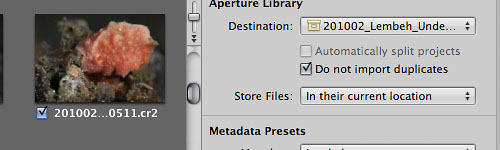
In Part 1, I referred to the improved Import dialogue as one of the good features of Aperture 3. Overall, it is a nice improvement over Aperture 2, but there’s one major problem…the “Do not import duplicates” function doesn’t work.

Aperture 3 duplicates function

This is my workflow (the same one I used with Aperture 2): Ingest and rename photos to hard disk using Photo Mechanic. My file names are by default in numerical order, so that there is absolutely no ambiguity about where the file belongs, or the order in which it should fall.

Example format: 201002_Lembeh_Underwater_0006.cr2

So let’s say I have files numbering up to 100 in my 201002_Lembeh_Underwater folder already. The next time I import new files with Photo Mechanic, the numbering commences with 101 and proceeds in numerical order.

I then Import as Referenced Files into Aperture, mapping the relevant file folder to the relevant Project in Aperture. My file folders on my hard disk and Aperture Project names correspond one-for-one, so again…no ambiguity.

Sticking to the same example, if my Aperture Project already had files 1 to 100 referenced to the file folder on the hard disk, and then I select Import and map to the same folder (with the “Do not import duplicates” box selected) into which I had ingested new files with Photo Mechanic, Aperture should recognise files 1 to 100 as pre-existing, already-imported-by-Tony-into-the-Aperture-Project files and ignore them, identifying only 101 and higher for importing.

This way, I don’t import file number 6 (as one example) every time, over and over again…in other words, I “Do not import duplicates”.

This is exactly how Aperture 2 behaved, and it’s also exactly how Aperture 3 behaved at first. Commencing some time around when I installed update 3.0.1 (the timing might be a coincidence?), checking the “Do not import duplicates” box has had no effect, except giving me a false sense of security.

Each time I Import referenced files from my hard disk to my Aperture Project, every last file in the folder comes into the dialogue box, and I have to uncheck the ones I don’t want to import. This can be really tedious with hundreds, even thousands of files.

In practice now, I use Command-A to select all the files, then uncheck them all at once, and then manually check the ones I want to import. I can think of better ways to spend my time.

One important distinction with regard to duplicate file imports: Aperture 3 failed to recognise duplicate video files from the first time I tried, so I was already facing this issue with video files. I thought that perhaps there was something unique about video files that was causing this phenomenon.

But then, this started happening with my image files too, so there’s definitely something Aperture-specific going on.

Again, there is discussion in the Apple support forums about this topic, but I haven’t trawled through to figure out the current status.

What I know is that my Import workflow worked just fine and dandy with Aperture 2, and even with Aperture 3 for the first couple of thousand files or so I imported. So, my conclusion…”Dear Apple, please fix this.”

7. A Small Quirk
This is a minor quirk.

When you’re in the Browser view (the one with all the little thumbnails), there is a scroll bar on the right side. It’s a standard scroll bar, and should behave like one.

If the position indicator is at the top of the scroll bar and you place your cursor below it, then click-and-hold on the scroll bar, the position indicator moves down and keeps doing so until you let go of your click. No surprises there.

If the position indicator is at the very bottom of the scroll bar, however, and you place your cursor above it and click-and-hold on the scroll bar, nothing happens. Actually, the position indicator tries to move up, but then drops back down to the very bottom.

It’s minor, but irritating, since I use the scroll bar.

Following is a video to make it easier to visualise. First I click repetitively on the scroll bar, which poses no problems (except hasten the onset of carpal tunnel syndrome). Then, I click-and-hold several times. You’ll see that the position indicator doesn’t want to budge when I do this.

8. Keywords
One issue I’ve had with Aperture since the beginning is the way the program handles (or doesn’t handle) keywords.

Keywording is a big part of photography these days, and adding this type of metadata to your files makes it much easier and faster to search for specific images, ID animals, compare photographs and submit files to third parties.

Aperture 3 continues the Aperture legacy of being able to search for keywords ONLY by the first word in a string.

For instance, if you have the keyword “flamboyant cuttlefish” in your keyword list, you can only search by “flamboyant”, not by “cuttlefish”.

So what? Well, it’s a royal pain in the a** when you have thousands of keywords, such as with the invaluable Marine Life Keywords List. Having all those animal names pre-populated in your keyword dialogue box is incredibly useful, especially in a critter-rich destination like Lembeh, but much less so if Aperture doesn’t allow you to search efficiently.

I was hoping version 3 would fix this annoying (un)feature, but alas, it remains. The workaround is to keep a text file of your keywords on your computer, and then search that text file in a text editor for the term you’re seeking, find the word or words you want, copy and paste that exact phrase into Aperture’s keyword search field, and then you’ll find the keyword (along with parent categories in the keyword hierarchy) you need.

An awful lot of trouble to get around Aperture’s lack of basic search intelligence, don’t you think?

9. Metadata
I saved the worst for last…metadata incompatibility. I’ll make this one quick, because I’m getting tired of typing.

When you export files from Aperture, the metadata (keywords, captions, copyright, etc.) you’ve added doesn’t always show up in other programs (like Photoshop!).

No need to read that again. It’s true. Metadata goes “poof!” and vanishes like Harry Potter with that invisibility cloak thing. (Actually, I think, though I’m not certain, that like young Harry, the metadata is there, but other programs can’t see it.)

So you’ll have to re-input all the metadata after you export a file from Aperture, usually by copying and pasting each and every field into the file, so that other programs can see your metadata.

A few people sent me links to explanations about why this is happening. I must confess that I lost interest after I read enough to confirm that I wasn’t losing my mind. (Just picture a nitrogen-saturated me sitting in Lembeh scratching my head thinking: “So wait. You mean Aperture hides or erases all my metadata? So wait. You mean Aperture hides or erases all my metadata? So wait. You mean Aperture hides or erases all my metadata? So wait. You mean Aperture hides or erases all my metadata?…”)

But in case you’re keen on delving into this issue, this a particularly involved article on Aperture 3′s metadata issues. (Thanks Arne!)

Metadata is critical to open exchange of information among people and different software packages. The inability of Aperture 3 to make nice with everyone else’s software is $%*($#(!! !#$#m 95&!@@#$@!!!!!!! ridiculous.

Note (30 Apr 2010): I just tested Photoshop CS5. Metadata associated with files exported from Aperture 3 shows up properly in CS5. So, the good thing is that this solves the metadata problem. The bad thing is you have to fork over more money in order to make full use of Aperture 3.

I Changed My Mind
I hadn’t anticipated this summary of some of the general issues I encountered to be this long.

I think it’s better if I write about considerations pertaining to putting together a multimedia slideshow with Aperture 3 separately, so I guess there will be a Part 3.

Once again, if I’ve made a blindingly stupid mistake, please let me know. And if you have anything to add, good or bad, please do.

Tags: , , ,

  • http://www.AnaspidesPhotography.net Iain Williams

    Excellent and well thought through review. I am on the side with Aperture 3 & after reading this will wait a bit longer before making the change over. Thanks

  • http://www.AnaspidesPhotography.net Iain Williams

    Excellent and well thought through review. I am on the side with Aperture 3 & after reading this will wait a bit longer before making the change over. Thanks

  • http://www.tonywublog.com Tony

    Thanks Iain. It’s a good software package. Just needs some fine-tuning and smoothing out of kinks

    Cheers,

    Tony

  • http://www.tonywublog.com Tony

    Thanks Iain. It’s a good software package. Just needs some fine-tuning and smoothing out of kinks

    Cheers,

    Tony

  • Phil Sokol

    I’m with Iain – on the sidelines as well. I am not anywhere near as technically proficient as you, so these kind of problems would have me sobbing over my keyboard in about 10 seconds. I’ll stick to version 2 while eagerly awaiting version 3.1!

  • http://n/a Phil Sokol

    I’m with Iain – on the sidelines as well. I am not anywhere near as technically proficient as you, so these kind of problems would have me sobbing over my keyboard in about 10 seconds. I’ll stick to version 2 while eagerly awaiting version 3.1!

  • http://aperture.maccreate.com David Schloss

    Tony – What version are you running? These issues you’re describing were resolved with 3.0.1 and 3.0.2. I’m wondering if you’re updated?

  • http://aperture.maccreate.com David Schloss

    Tony – What version are you running? These issues you’re describing were resolved with 3.0.1 and 3.0.2. I’m wondering if you’re updated?

  • http://www.tonywublog.com Tony

    Hi David,

    Thanks for your comment and note. I appreciate your interest.

    I updated to 3.0.1 mid-way through my trip, and 3.0.2 as soon as it came out, which was at the end of my trip.

    I’ve been testing the main issues before writing about them, and they all still exist (with the exception of the one-offs, like the sudden disappearance of all my thumbnails, which I can’t recreate).

    I’m writing a Part 3 about creating a multimedia slideshow
    http://www.vimeo.com/10482441
    and the issues I faced. It’s taking some time because I’m re-checking to see if anything has changed after 3.0.2 and the recent OS X update

    Cheers,

    Tony

  • http://www.tonywublog.com Tony

    Hi David,

    Thanks for your comment and note. I appreciate your interest.

    I updated to 3.0.1 mid-way through my trip, and 3.0.2 as soon as it came out, which was at the end of my trip.

    I’ve been testing the main issues before writing about them, and they all still exist (with the exception of the one-offs, like the sudden disappearance of all my thumbnails, which I can’t recreate).

    I’m writing a Part 3 about creating a multimedia slideshow
    http://www.vimeo.com/10482441
    and the issues I faced. It’s taking some time because I’m re-checking to see if anything has changed after 3.0.2 and the recent OS X update

    Cheers,

    Tony

  • http://www.deichmann-photo.com/ Gunther Deichmann

    Hi Tony,
    long time no hear. I have also just returned from my trip in India shot some 15,000 images and my students installed Aperture 3 on the spot. Yeah there have been a few minor glitches at the start but they went away after the first upgrade 3.0.1 I installed this in India while on the road.
    I encounter non of those issues you have mention and I am using even previews for all my images, mind you small ones only 1024X1024. The only little thing is the Scroll Bar you mention, it is a bit temperamental and Aperture 3 did shut down a few times by itself but that was before 3.0.1 now with 3.0.2 all is fine and I am flying through my photos. One of my favorites the Do Not Import Duplicates works perfect just like before I have used it a lot during my last trip.
    Interesting that you encounter all those problems, I don’t have the answers but if I hear anything I let you know. All my students who installed Aperture 3 out of the Box during our workshop also encountered non of these problems.
    I also tested the new movie function and it works just great. The only slowdown I noticed is on Import if you choose the new back up function but I guess it is normal since Aperture 3 is making a back up at the same time during Import.
    Another increase in speed is to de-activate Faces if you don’t need them during import the same goes for Places, you can always activate it later to look for those.
    This has actually increased my import speed by a lot.
    I guess that’s it for now if anything else comes up I let you know,
    Cheers Gunther

  • http://www.deichmann-photo.com/ Gunther Deichmann

    Hi Tony,
    long time no hear. I have also just returned from my trip in India shot some 15,000 images and my students installed Aperture 3 on the spot. Yeah there have been a few minor glitches at the start but they went away after the first upgrade 3.0.1 I installed this in India while on the road.
    I encounter non of those issues you have mention and I am using even previews for all my images, mind you small ones only 1024X1024. The only little thing is the Scroll Bar you mention, it is a bit temperamental and Aperture 3 did shut down a few times by itself but that was before 3.0.1 now with 3.0.2 all is fine and I am flying through my photos. One of my favorites the Do Not Import Duplicates works perfect just like before I have used it a lot during my last trip.
    Interesting that you encounter all those problems, I don’t have the answers but if I hear anything I let you know. All my students who installed Aperture 3 out of the Box during our workshop also encountered non of these problems.
    I also tested the new movie function and it works just great. The only slowdown I noticed is on Import if you choose the new back up function but I guess it is normal since Aperture 3 is making a back up at the same time during Import.
    Another increase in speed is to de-activate Faces if you don’t need them during import the same goes for Places, you can always activate it later to look for those.
    This has actually increased my import speed by a lot.
    I guess that’s it for now if anything else comes up I let you know,
    Cheers Gunther

  • http://web.me.com/matthiaslebong1/Matthias_&_Chin-lien’s_Page/our_small_Blog/our_small_Blog.html Matthias L

    Hello Tony,
    thanks again for the good imputes. I upgraded my version 2.1 to one of the earliest versions of Aperture 3.00 a nightmare. however after 3.0.1 it was better and now with 3.0.2 fine. nevertheless it needs some fine-tuning.

    Cheers,
    Matthias

  • http://web.me.com/matthiaslebong1/Matthias_&_Chin-lien’s_Page/our_small_Blog/our_small_Blog.html Matthias L

    Hello Tony,
    thanks again for the good imputes. I upgraded my version 2.1 to one of the earliest versions of Aperture 3.00 a nightmare. however after 3.0.1 it was better and now with 3.0.2 fine. nevertheless it needs some fine-tuning.

    Cheers,
    Matthias

  • Pingback: links for 2010-04-04 | GFMorris.com

  • John P

    I have Aperture 3.02 running with an external hard drive and a library size of about 170GB and 20,000 photos.

    I have the following repeated problems:

    1. Select full screen mode and then try and select standard edit screen and you cannot get back to the standard screen no matter what you do.
    2. It has now completely crashed and despite restarting the computer you click on the Aperture icon to start the program, the icon appears in the dock for a few seconds then disappears and the program will not open.

    These problems are really annoying as my Aperture 1 and 2 applications worked really well.

  • John P

    I have Aperture 3.02 running with an external hard drive and a library size of about 170GB and 20,000 photos.

    I have the following repeated problems:

    1. Select full screen mode and then try and select standard edit screen and you cannot get back to the standard screen no matter what you do.
    2. It has now completely crashed and despite restarting the computer you click on the Aperture icon to start the program, the icon appears in the dock for a few seconds then disappears and the program will not open.

    These problems are really annoying as my Aperture 1 and 2 applications worked really well.

  • http://www.tonywublog.com tony

    Hi John,

    I haven’t experienced the problems you’re describing.

    Just a guess…but the large size of your library might have something to do with it. Breaking up my library into smaller chunks has helped quite a bit. Aperture 3 still crashes on me, but nothing as bad as what you’re experiencing.

    I hope you’re able to figure out what’s going on.

    Cheers,

    Tony

  • http://www.tonywublog.com tony

    Hi John,

    I haven’t experienced the problems you’re describing.

    Just a guess…but the large size of your library might have something to do with it. Breaking up my library into smaller chunks has helped quite a bit. Aperture 3 still crashes on me, but nothing as bad as what you’re experiencing.

    I hope you’re able to figure out what’s going on.

    Cheers,

    Tony

  • Bjarke

    I’ve been using Aperture 3 since it came out–and even though I generally like it, and its many features, a lot, it sickens me, that it’s sooooo slow.

    I even purchased a new MacBook Pro (2.66 ghz i7) because I was tired of waiting and waiting, especially for exports. Things are ok when I’m working with my Canon (5D and 7D) images, but my recently acquired Hasselblad H3D-39 mega pixels camera (which is AMAZING) brings it to its knees, constantly. Trying to export an image–well, sometimes it happens, after a long time, but most of the time, nothing happens. And that’s quite annoying since sometimes the images have to leave Aperture!

  • Bjarke

    I’ve been using Aperture 3 since it came out–and even though I generally like it, and its many features, a lot, it sickens me, that it’s sooooo slow.

    I even purchased a new MacBook Pro (2.66 ghz i7) because I was tired of waiting and waiting, especially for exports. Things are ok when I’m working with my Canon (5D and 7D) images, but my recently acquired Hasselblad H3D-39 mega pixels camera (which is AMAZING) brings it to its knees, constantly. Trying to export an image–well, sometimes it happens, after a long time, but most of the time, nothing happens. And that’s quite annoying since sometimes the images have to leave Aperture!

  • http://www.tonywublog.com Tony

    Hi Bjarke,

    Aperture can be a bit slow, but usually it’s ok. Where I run into difficulties sometimes is if I try to edit while Aperture is still in the process of ingesting and creating previews and/ or thumbnails. From what I understand, Aperture is supposed to let you continue with work while there are tasks running in the background, but from personal experience, if you have lots of data, there’s an increased potential for hangs, stalls, spinning beachballs, etc.

    I’ve never used the Hassel, so I’m afraid I can’t offer any thoughts, but the large file size might be a factor.

    I’ve found that by creating a new library for every assignment, and also by giving Aperture time to ingest and run through all associated processes first, I encounter the fewest issues.

    Wishing you luck-

    Tony

  • http://www.tonywublog.com Tony

    Hi Bjarke,

    Aperture can be a bit slow, but usually it’s ok. Where I run into difficulties sometimes is if I try to edit while Aperture is still in the process of ingesting and creating previews and/ or thumbnails. From what I understand, Aperture is supposed to let you continue with work while there are tasks running in the background, but from personal experience, if you have lots of data, there’s an increased potential for hangs, stalls, spinning beachballs, etc.

    I’ve never used the Hassel, so I’m afraid I can’t offer any thoughts, but the large file size might be a factor.

    I’ve found that by creating a new library for every assignment, and also by giving Aperture time to ingest and run through all associated processes first, I encounter the fewest issues.

    Wishing you luck-

    Tony

  • Bjarke

    Here’s a few examples, in case you wonder what a 39 mega pixels (7216 x 5412) image looks like (well, they’re web-optimised, but anyway…):

    http://homepage.mac.com/bjarkeahlstrand/Bjarke's%20Hasselblad%20examples/index.html

    Best,
    Bjarke

  • Bjarke

    Here’s a few examples, in case you wonder what a 39 mega pixels (7216 x 5412) image looks like (well, they’re web-optimised, but anyway…):

    http://homepage.mac.com/bjarkeahlstrand/Bjarke's%20Hasselblad%20examples/index.html

    Best,
    Bjarke

  • http://www.tonywublog.com Tony

    Hi Bjarke,

    #12 is funny :)

    Cheers,

    Tony

  • http://www.tonywublog.com Tony

    Hi Bjarke,

    #12 is funny :)

    Cheers,

    Tony

  • Daniël

    Hello,

    yesterday i encountered an realy iritating “error” in aperture 3
    I’m working on an older version of the 13 inch macbook and until yesterday everything worked just fine.
    Yesterday i bought an second screen (samsung syncmaster p2250, 21,5 inch) to connect to my macbook.
    after i connected it to my macbook something strange occured,apperture seems to think that my macbook screen is about 2 times bigger as it realy is…
    In normal view mode i do not have a scrollbar any more and my thumbnails are lined up to the right on my screen…but there is no screen there…
    when i switch to fullscreen mode everything works just fine but switching back to normal mode the error comes back.
    Even when i drag apperture to my seccond screen the error stays.
    Even disconecting the seccond screen doesn’t help,although before i connected the screen for the first time there was no problem…
    Do have any idea what to do?

  • http://notonlineyet... Daniël

    Hello,

    yesterday i encountered an realy iritating “error” in aperture 3
    I’m working on an older version of the 13 inch macbook and until yesterday everything worked just fine.
    Yesterday i bought an second screen (samsung syncmaster p2250, 21,5 inch) to connect to my macbook.
    after i connected it to my macbook something strange occured,apperture seems to think that my macbook screen is about 2 times bigger as it realy is…
    In normal view mode i do not have a scrollbar any more and my thumbnails are lined up to the right on my screen…but there is no screen there…
    when i switch to fullscreen mode everything works just fine but switching back to normal mode the error comes back.
    Even when i drag apperture to my seccond screen the error stays.
    Even disconecting the seccond screen doesn’t help,although before i connected the screen for the first time there was no problem…
    Do have any idea what to do?

  • Daniël

    the problem i discribed above is when i’m in the browser mode.
    i should be able to scroll down but the scroll bar has disappeared since i connected the second screen…

  • http://notonlineyet... Daniël

    the problem i discribed above is when i’m in the browser mode.
    i should be able to scroll down but the scroll bar has disappeared since i connected the second screen…

  • http://www.tonywublog.com Tony

    Hi Daniël,

    I’m afraid I have no idea what’s causing your problem.

    I’ve forwarded your message to some people who might be able to help.

    Cheers,

    Tony

  • http://www.tonywublog.com Tony

    Hi Daniël,

    I’m afraid I have no idea what’s causing your problem.

    I’ve forwarded your message to some people who might be able to help.

    Cheers,

    Tony

  • Lindsey

    Hi all,

    Wondering if you can help me out. I am trying to export a slideshow from aperture 3 onto a brand new two Terra bite external hard drive and I am receiving the message “Not enough free disc space”

    What gives?

    Thanks for any help! :’)

  • Lindsey

    Hi all,

    Wondering if you can help me out. I am trying to export a slideshow from aperture 3 onto a brand new two Terra bite external hard drive and I am receiving the message “Not enough free disc space”

    What gives?

    Thanks for any help! :’)

  • http://www.tonywublog.com Tony

    Hi Lindsey,

    I’m sorry to hear you’re having problems.

    I’m not sure what the issue is, but when exporting video with FCP, I got the same message a lot. In the case of FCP, the issue was RAM, not hard disk space.

    It’s possible that the error message you’re getting could be related to the same issue.

    Take a look at the Apple Support forums on the Apple site, and search for the “Not enough free disk space” error message. There are probably other people who’ve experienced the same issue, and perhaps some who’ve figured out a way around it.

    I’ve been able to figure out solutions to nearly all of the issues I experienced by consulting the support forums.

    Good luck!

    Cheers,

    Tony

  • http://www.tonywublog.com Tony

    Hi Lindsey,

    I’m sorry to hear you’re having problems.

    I’m not sure what the issue is, but when exporting video with FCP, I got the same message a lot. In the case of FCP, the issue was RAM, not hard disk space.

    It’s possible that the error message you’re getting could be related to the same issue.

    Take a look at the Apple Support forums on the Apple site, and search for the “Not enough free disk space” error message. There are probably other people who’ve experienced the same issue, and perhaps some who’ve figured out a way around it.

    I’ve been able to figure out solutions to nearly all of the issues I experienced by consulting the support forums.

    Good luck!

    Cheers,

    Tony

  • Thinh Le

    Hey Tony,

    I recently ran into the exact same problem as you when upgrading to the new version of Aperture. I believe it might have something to do with Aperture running at 64-bit and sucking up all the resources. I did find a temporary fix which is to either run Aperture in 32-bit mode or add more ram. To run some of my plug-ins, I have to run it in 32-bit mode anyways.
    I was running on 4 GB RAM with Core i7 and now I’m at 8 GB RAM. It now hangs less often…maybe once every couple weeks while it was maybe doing it 4 times a day before.
    It could be a problem with a large library as well. My library is about 265 GB in size. Let me know if anyone alleviates the issue after down-sizing their library.

    -Thinh
    http://www.thinhlephotography.com

  • http://www.tonywublog.com/ Tony Wu

    Hi Thinh,

    Since I started creating one Library for each trip, I haven’t had many problems. Aperture still hangs once in a while, but not often.

    The main outstanding issue for me is that Aperture still imports duplicates of video files, even when I check the do not import duplicates box. I hear Apple is working on fixing that, so I hope it’s resolved soon.

    Cheers,

    Tony

  • http://twitter.com/ajiradarch ajira

    hi Tony,

    I’m still having this issue with video and recently started noticing it more and more with images! So frustrating. Any recent ideas on workarounds?

    cheers,
    Ajira

  • http://www.tonywublog.com/ Tony Wu

    Hi Ajira,

    Which issue are you referring to? If you mean duplication of video files upon import, that issue was resolved with the latest Aperture updates. I’ve had no problem since the last update.

    If you’re referring to hanging, I’ve had very few problems after separating each project/ assignment into a separate Library, so each Library doesn’t get too big.

    Cheers,

    Tony

  • Cor

    Hi Tony,

    I am owner of a small dive resort in the French West Indies do a lot of UW photography, do you advise Aparture 3.0, I consider buying it and have no previous version of Aparture installed on my Mac so technically speaking I don’t upgrade, only import my photo files.
    I installed a Trail Version on a external hard disk but didn’t had really the time to “try” it out, well it is jet season so I dive every day you see and now the trail period expired.

    Regards,

    Cor

  • http://www.tonywublog.com/ Tony Wu

    Hi Cor,

    If you don’t use Lightroom or Aperture now, then definitely! Either software will make your life much easier, after a brief period of learning the basics.

    There have been several updates to Aperture since I wrote about my experience with 3.0, and many of the issues I had have been fixed, so you shouldn’t have any problems. The only thing to be aware of is that the more recent you computer is, the better Aperture will perform. In a perfect world, you’d want to have a really recent computer with the latest version of OSX. It makes a difference.

    Also, the price has just come down to $79.99 (it was $199), so it’s a good time to invest.

    Good luck!

    Cheers,

    Tony

  • Cordemunnik

    Thanks for your reply Tony,

    MacBook Pro 13″ medio 2009 with all updates up until now, now I use Elements 8.0 and actually like Bridge because I know where my pictures are, on my external hard drive, can I keep it that way, I mean, delete Elements, install Aperture and leave my files where they are, I have had some nasty experiences with the first iPhoto you know.
    I’ve seen the price difference on the App Store, here on the island Aperture was priced $ 319.99 today so you are right a top investment!

    TC…….. Cor

  • http://www.tonywublog.com/ Tony Wu

    Hi Cor,

    You can use Referenced Files in Aperture, which basically means you leave your photos where they are, and point Aperture to the files. You don’t have to move your files. Aperture also uses non-destructive editing, which means the software does not alter your original files. Taken together, this means you don’t have to worry about screwing up your original files. Just make sure you have back-ups though!

    Cheers,

    Tony

  • alan

    Hi Tony, i too have aperture 3 and have had a lot of the problems you are mentioning, especially the force quit situation just comes up with the dialog box for no apparent reason. I have also had mega problems with the metadata too, it will jumble up data from different files. Not good when you need to get then sent out asap ! I did have the issue with the meta data not appearing on my exported images but that was because i had not gone into the manage presets and ticked include metadata. Surely it would make more sense to have it included by default and tick it if you do not want it included. The cropping tool is a nightmare as well i will select ‘do not constrain’ and it will be fine for a few images and then it will jump to another aspect ratio again very annoying and time consuming.As for downloading raw files ….. SLOW! 15mins for around 100 images ! Even jpegs are not mega fast. I also have problems with the pictures not appearing in the correct colour for a few seconds when i am opening one on full screen.

    I have been to the apple store in London ( flagship store) but no one seems to know anything about aperture 3 ! ( apart from the price and where to pay ! ) Loosing faith now, i guess it’s time to bite the bullet and rid myself of aperture and move on to photoshop instead.

    Regards, Alan.